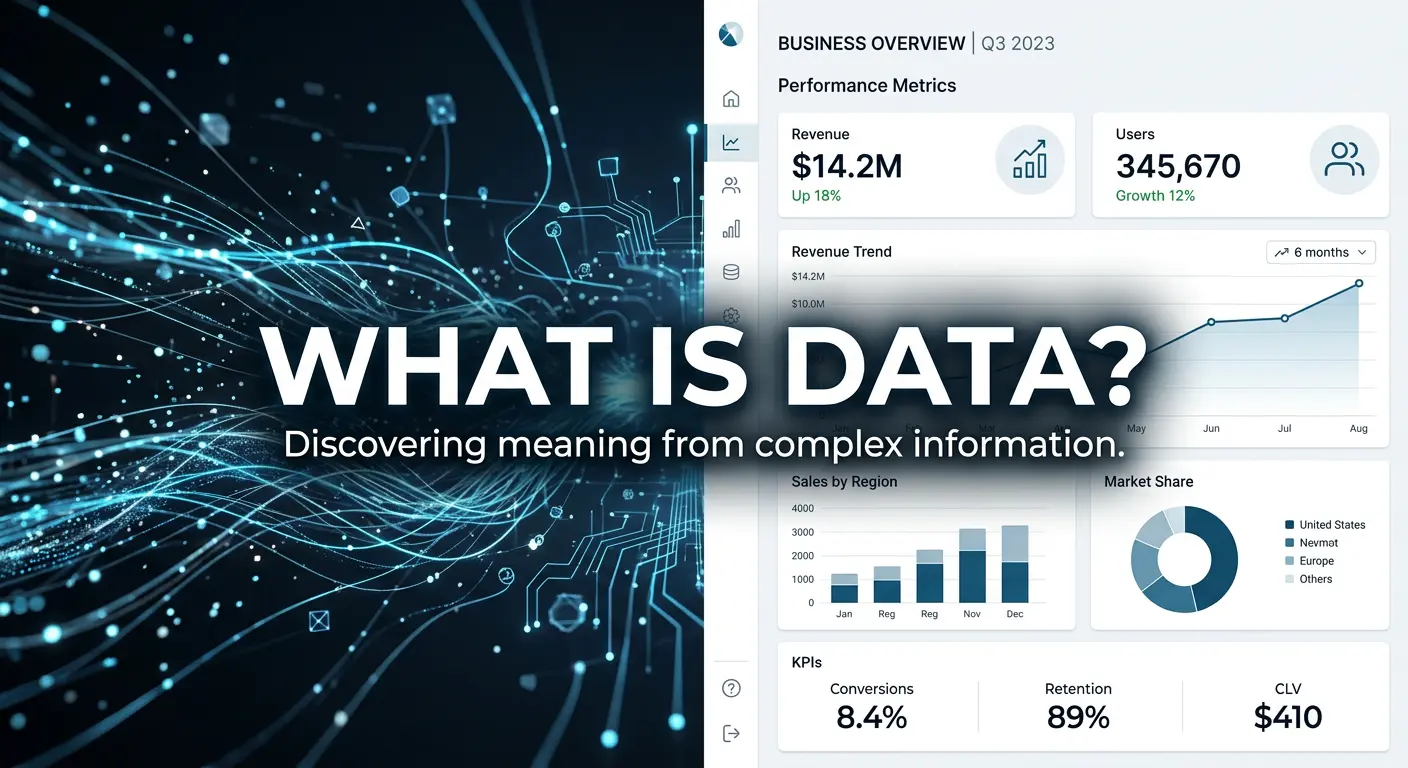
Before you can work with databases, run SQL queries, build data models, or design analytics pipelines, you need absolute clarity on three foundational concepts: Tables, Columns, and Rows. They are the structural grammar of every relational database, from a small SQLite file to a cloud-scale enterprise data warehouse. If you have not yet read our guide on what data is, start there first.
Why These Concepts Matter
These are not just beginner topics. Misunderstanding leads to:
- Poor schema design that does not scale
- Inconsistent data entry and reporting errors
- Incorrect query logic and misleading analytics
- Data integration failures
The Intuitive Explanation: Think of Your Family
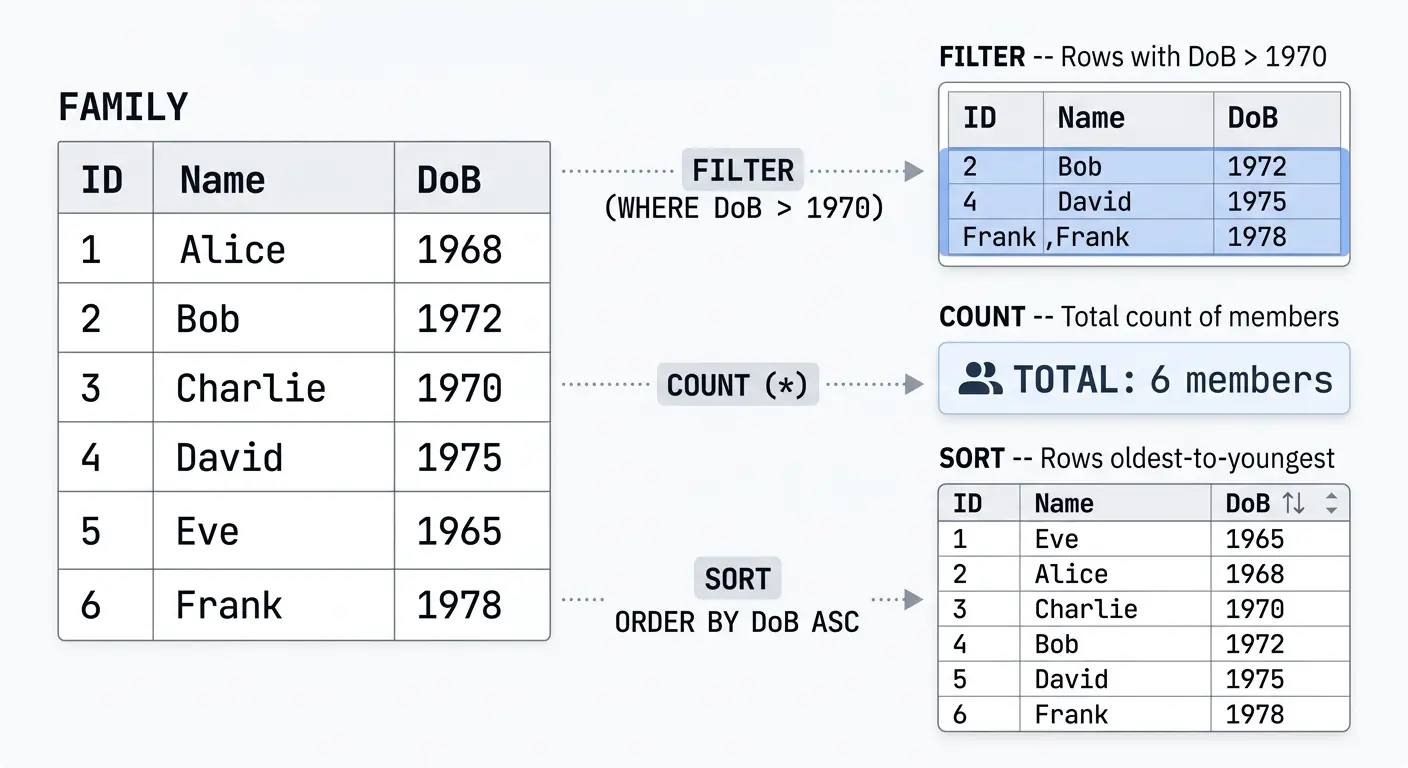
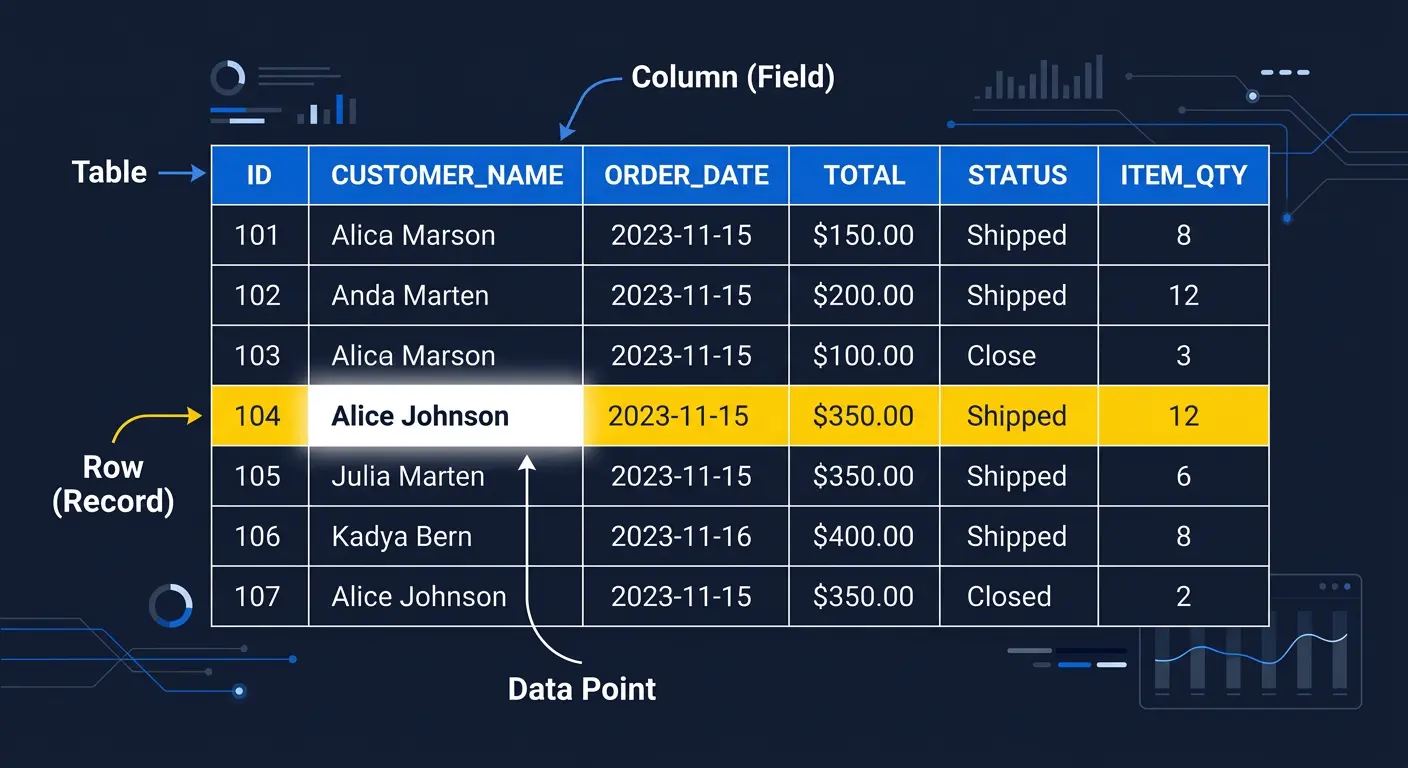
Imagine your family as a data table. Each family member has a Name, Relationship, and Date of Birth. These shared categories are the Columns. One person's full details = one Row. All six together = the Table.
Visualised: The Family Table
| Name | Relationship | Date of Birth |
|---|---|---|
| John | Grandfather | 01 Jan 1950 |
| Mary | Grandmother | 15 Mar 1952 |
| Robert | Father | 20 Jun 1975 |
| Susan | Mother | 05 Sep 1977 |
| James | Son | 10 Nov 2003 |
| Emma | Daughter | 22 Feb 2006 |
Formal Definitions
| Term | Also Known As | Role in the Database |
|---|---|---|
| Table | Relation, Dataset | The full organised collection of related data |
| Column | Field, Attribute | A specific type of information shared across all rows |
| Row | Record, Tuple | One individual data entry |
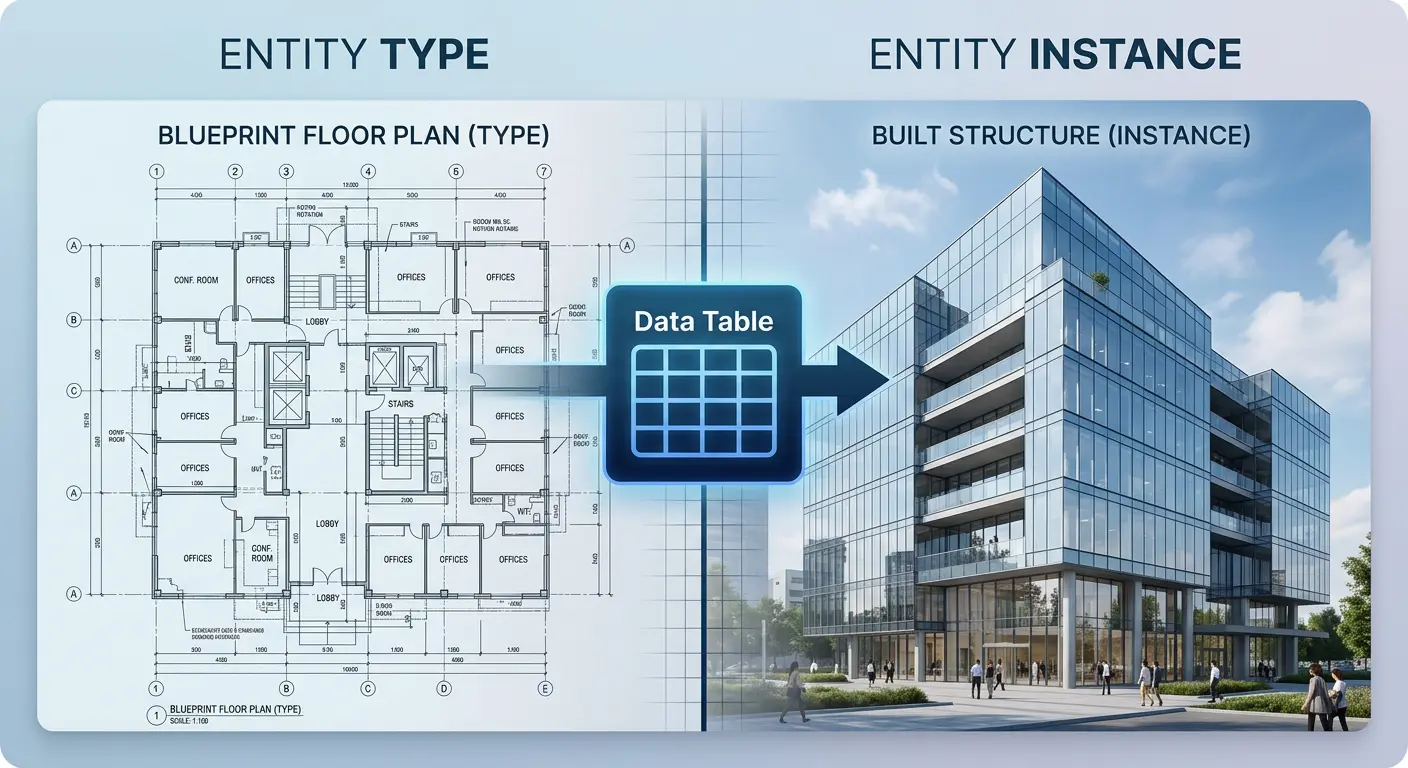
In data modelling terms: Table = Entity Type, Column = Attribute, Row = Entity Instance.
Columns Define Structure; Rows Contain Data
Columns define what kind of information is stored. Rows contain the actual data. A column called "Date of Birth" tells you the type of information expected. The value "01 Jan 1950" in a specific row is the actual data point. Understanding this distinction is critical for writing accurate queries and designing effective schemas.
Tables in Real Database Environments
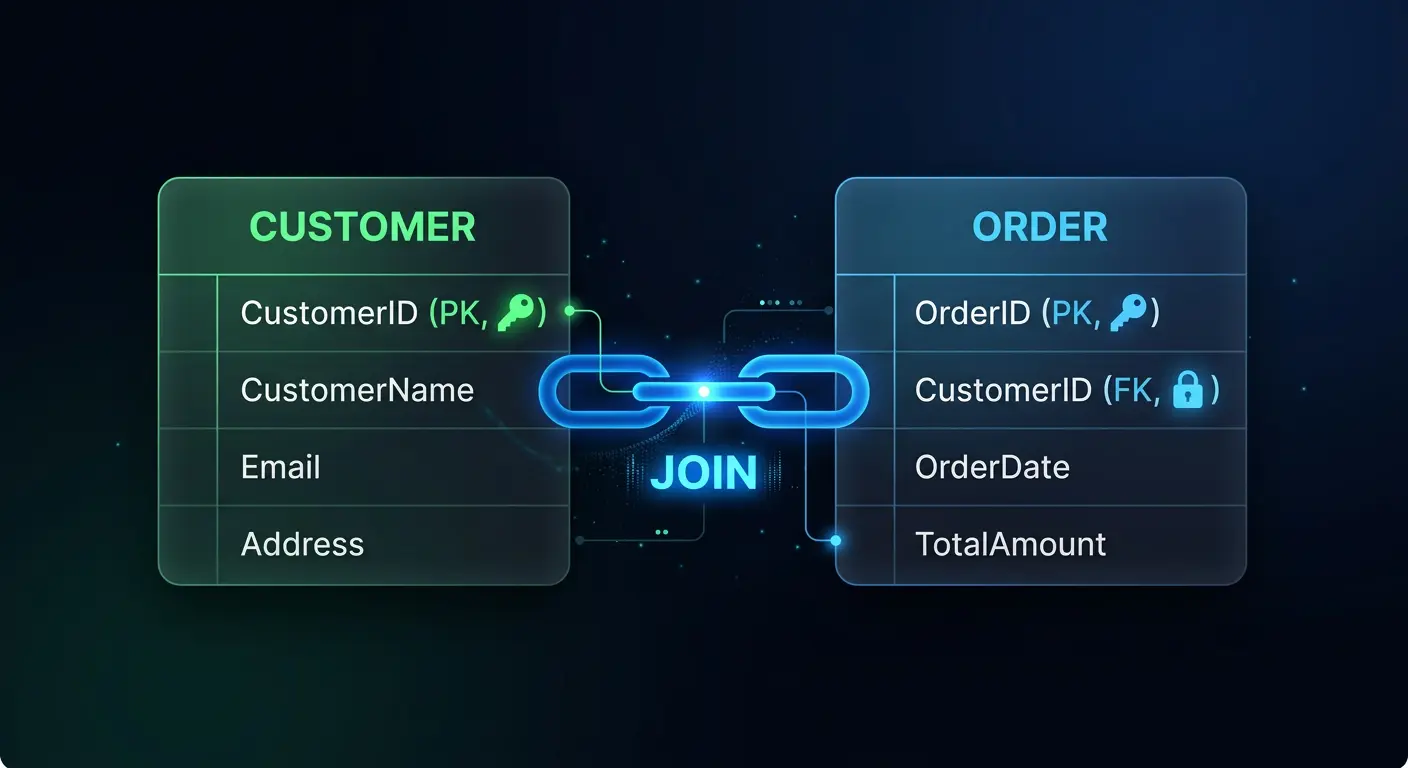
In real-world systems, tables relate to each other through Primary Keys and Foreign Keys. A Customers table might link to an Orders table, which links to a Products table. These relationships allow you to query across multiple tables, combining data to answer complex business questions.
The Power of Queries: What You Can Do With Tables
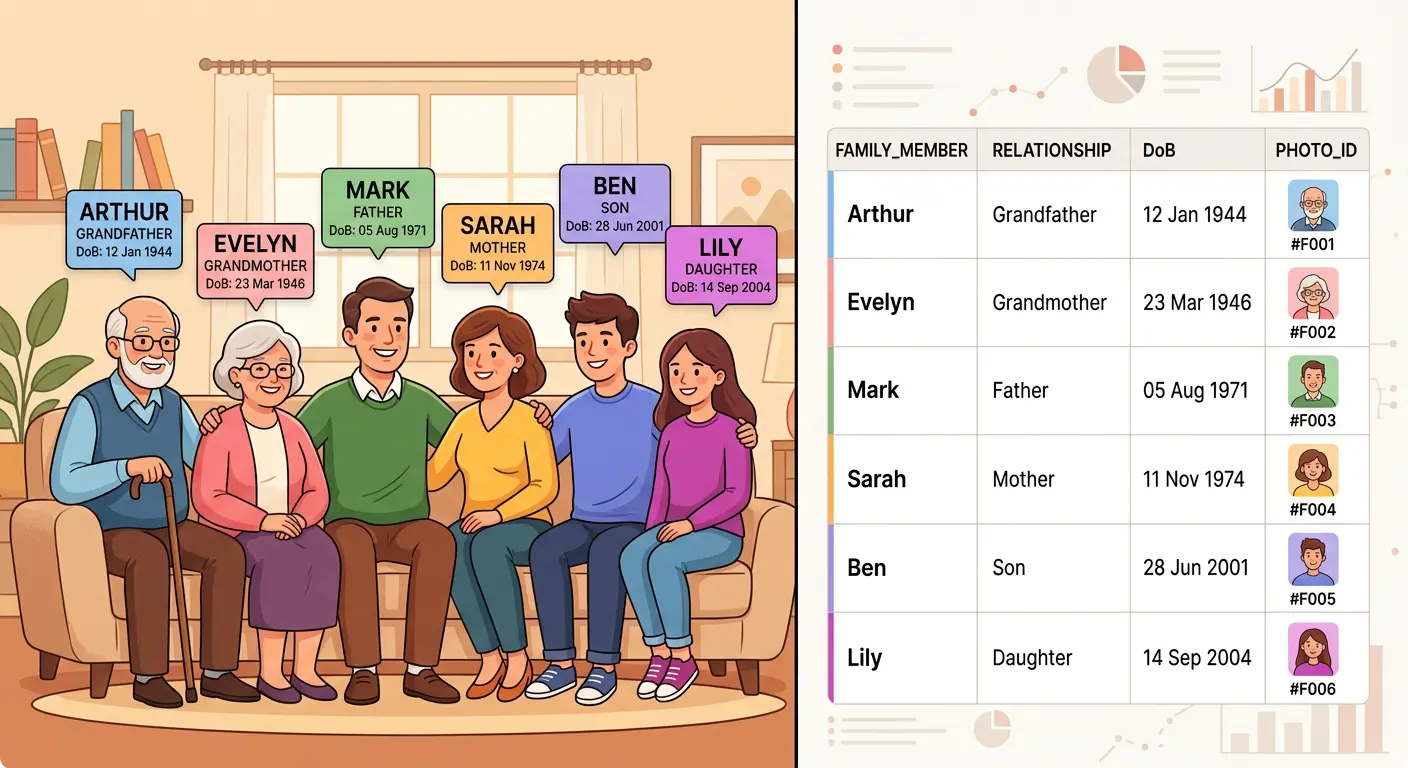
-- Filter: Find family members born after 1970
SELECT Name, Relationship
FROM Family
WHERE DateOfBirth > '1970-01-01';

-- Count: How many family members are there?
SELECT COUNT(*) FROM Family;

-- Sort: Order by oldest to youngest
SELECT Name, DateOfBirth
FROM Family
ORDER BY DateOfBirth ASC;
Common Mistakes to Avoid
- Mixing column types: Storing dates as free text, or mixing numbers and strings in the same column, leads to query failures and unreliable analytics.
- Poorly named columns: Ambiguous names like "Data1" or "Field_A" make tables difficult to understand, maintain, and integrate with other systems.
- Missing primary keys: Without a unique identifier for each row, duplicate records creep in and table relationships break down.
Key Takeaway
Tables, columns, and rows are the universal language of structured data. Whether you are working in Excel, MySQL, PostgreSQL, Snowflake, or BigQuery, this three-part structure is always the same. Master it, and you have the grammar to speak fluently in every data environment. Our data foundations training covers these concepts and more in depth.

Ready to build solid data foundations?
Your Partner Technologies helps organisations design scalable, well-structured database architectures.
Talk to Us